Coding Secrets Silicon Valley Doesn't Want You to Know
Description provided by the user:
Dive into a world of sleek dark mode visuals punctuated by neon code snippets that dance across the screen. Experience the thrill of discovery with subtle glitch effects and the satisfying click of perfectly aligned typography. Each key concept emerges with a smooth, energized animation, making learning addictive. The color palette evokes the mystery of hidden knowledge, with deep blues and vibrant purples creating an exclusive, high-tech atmosphere.
Categories
Generated Notes
Open by setting the vibe: we’re in a dark, neon-lit space of hidden knowledge. Read the title with energy.
Explain the promise: we’ll surface three practical secrets that change how you ship software.
Reveal Secret 1: Feature flags beat long-lived branches. Emphasize daily shipping and safe rollouts. Point to the snippet showing a simple flag gate.
Reveal Secret 2: Latency is the true UX. Talk about defining a 100ms p95 budget and enforcing it on critical paths.
Reveal Secret 3: Deleting code increases velocity. Remove dead paths, set TTLs, and automate cleanup.
Close with the takeaway: build boring systems, ship fast, and measure relentlessly. Invite the audience to pick one secret to apply this week.
Behind the Scenes
How AI generated this slide
Analyze the topic and context to understand the desired mood, visuals, and content.
Select a dark color palette with neon accents, as specified in the context.
Choose a font suitable for code display and sleek typography.
Structure the content into three key 'secrets', each with a title, bullet points, and code snippets.
Implement smooth, energized animations using Framer Motion for each secret's reveal.
Add subtle glitch effects to the code snippets to enhance the 'hacker' vibe.
Incorporate a background gradient and glowing elements to create depth and visual interest.
Ensure the layout is responsive and optimized for a 16:9 aspect ratio.
Generate speaker notes to guide the presentation flow and emphasize key takeaways.
Why this slide works
This slide effectively combines visual appeal with informative content. The dark mode aesthetic, neon code snippets, and glitch effects create a sense of mystery and intrigue, aligning perfectly with the 'secrets' theme. The use of Framer Motion adds a dynamic element, making the content more engaging. The clear structure, bullet points, and code examples make the information easy to digest. The speaker notes provide valuable context and guidance for delivering a compelling presentation. The slide leverages relevant keywords like dark mode, neon, glitch effect, animation, coding secrets, Silicon Valley, software development, and user experience, which can enhance its discoverability and appeal to the target audience.
Slide Code
You need to be logged in to view the slide code.
Questions
Frequently asked
What are feature flags and why are they preferred over branches?+
Feature flags are variables that control the visibility and availability of features in software. They allow developers to ship code daily and safely roll out new features or updates without deploying new code branches. This enables faster iteration, reduces risk, and provides more control over the release process.
Why is latency considered the real user experience?+
Latency, or the delay between a user's action and the system's response, significantly impacts user experience. High latency can lead to frustration and abandonment. By budgeting for and minimizing latency, particularly on critical paths, developers can create a more responsive and satisfying user experience.
How does deleting code improve development velocity?+
Deleting dead code, removing unnecessary features, and automating cleanup tasks reduces code complexity and technical debt. This streamlined codebase makes it easier to maintain, debug, and add new features, ultimately increasing development speed and efficiency.
What tools or techniques are used to create the animations and effects on the slide?+
The slide utilizes Framer Motion, a popular animation library for React, to create smooth, energized animations for the title, secrets, and code snippets. The glitch effects are likely implemented using CSS animations or other visual effects libraries.
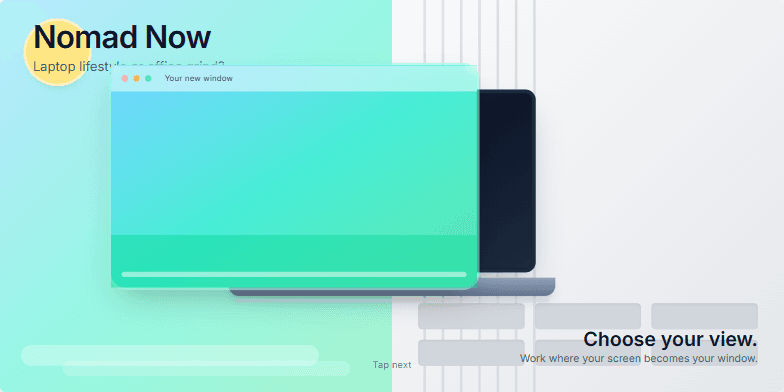
This slide uses a vibrant split-screen effect, contrasting the cool blues and greens of a tropical beach with the stark grays of a corporate office. A subtle animated transition morphs the laptop screen into a window overlooking the ocean, symbolizing the freedom of the digital nomad life. Clean typography and minimalist design highlight the core message: choose your view.
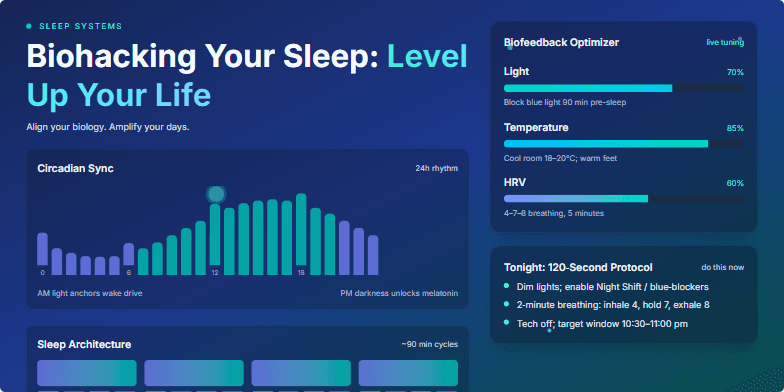
Imagine pulsating neon graphics illustrating the circadian rhythm syncing with personalized data visualizations. Deep blues and vibrant teals create a calming yet energetic atmosphere. Micro-animations of neural pathways firing as you sleep, interwoven with sleek, futuristic UI elements showcasing biofeedback optimization techniques. This slide promises a transformative visual journey into the science of sleep.
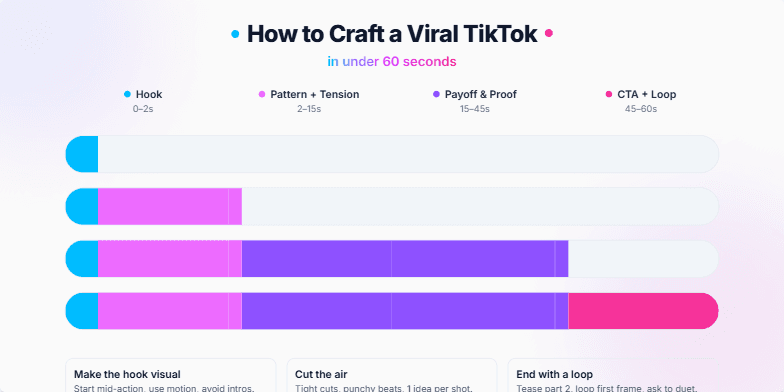
Dive into a vibrant, fast-paced world of neon hues and dynamic transitions. This slide explodes with energy, mimicking the short-form video format itself. Imagine quick cuts, playful animations of bouncing icons, and a bold, modern font that screams 'attention-grabbing.' The background shifts subtly from cool blues to energetic pinks, keeping the viewer engaged with every fleeting second.
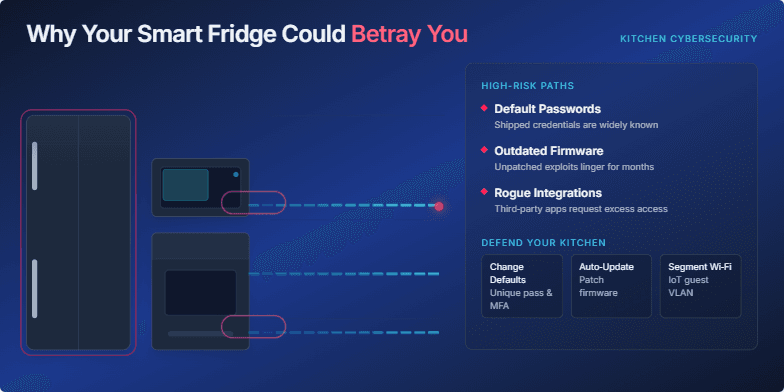
Dark, intriguing visuals of a seemingly normal kitchen transforming into a digital battlefield. Data streams flow from appliances, highlighting vulnerabilities. Neon accents on key threats create a cyberpunk feel. Smooth transitions and subtle glitches emphasize the hidden dangers lurking within our connected homes. Deep blues and blacks contrast with alarming reds to create a sense of urgency.
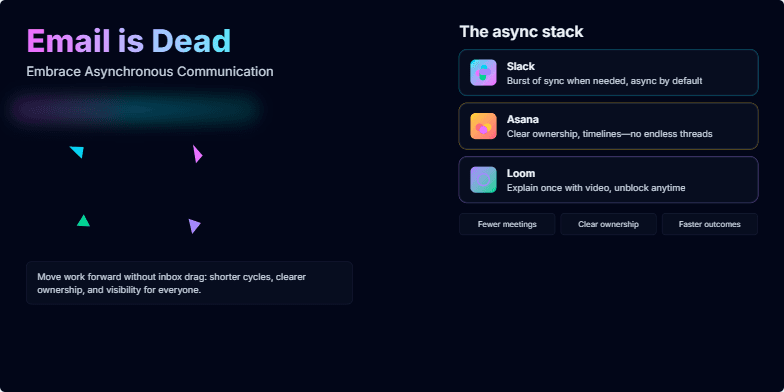
This slide explodes with vibrant neon colors against a dark, futuristic backdrop. A stylized email icon dramatically shatters, revealing sleek, abstract symbols representing asynchronous tools. Smooth transitions and subtle glowing animations highlight key platforms like Slack and Asana. The overall design is edgy and modern, reflecting the revolutionary shift in communication.
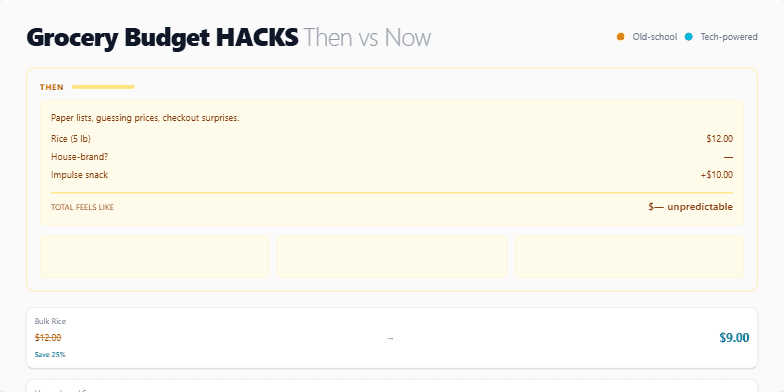
This slide uses a vibrant split-screen design, contrasting sepia-toned 'Then' imagery of old-fashioned grocery shopping with the sleek, neon-infused 'Now' of modern budgeting apps. Watch as animated price comparisons pop up, highlighting the savings potential. Clean sans-serif fonts and crisp graphics deliver a modern, empowering feel. The overall mood is optimistic and inspiring, showcasing how technology can transform our relationship with money.
Want to generate your own slides with AI?
Start creating high-tech, AI-powered presentations with Slidebook.