Unlock Your Inner Rockstar Programmer: 7 Coding Habits to Adopt Today
Description provided by the user:
Deep blues and vibrant neon greens electrify this slide, echoing the energy of late-night coding sessions. Code snippets fade in and out, showcasing each habit in action. Clean typography and minimalist design ensure the focus remains on the transformative power of these 7 key practices. Watch the code come alive, inspiring you to level up your programming game.
Categories
Generated Notes
Welcome the audience with high energy. Point to the title and set the tone: we’re unlocking rockstar-level habits through small, repeatable practices.
Explain the slide flow: left side shows the seven habits; right side shows a live code vignette that fades in for each habit.
Habit 1: Emphasize meaningful names. Show how readable variables make intent obvious. Call out qualifiesForDiscount vs vague flags.
Habit 2: Pure, small functions. Mention composability and easy testing. The toSlug example demonstrates no side effects.
Habit 3: Test before refactor. Briefly note the safety net and faster iteration. The tiny formatCurrency test illustrates TDD mindset.
Habit 4: Automate lint and format. Stress consistency and saved mental energy. Show scripts as one-time setup that pays dividends.
Habit 5: Measure, don’t guess. Encourage using performance.now or profiling tools. The log shows evidence-driven optimization.
Habit 6: Fail loudly, handle gracefully. Show returning structured results instead of silent failures. It improves reliability and UX.
Habit 7: Document decisions. Reference lightweight ADRs and living docs. Clarity for future you and your teammates.
Close by inviting the audience to pick one habit to start today and layer others over time.
Behind the Scenes
How AI generated this slide
Analyze the slide title and topic: 'Unlock Your Inner Rockstar Programmer: 7 Coding Habits to Adopt Today'
Identify the core message: Encouraging programmers to adopt better coding practices for improved performance.
Determine the target audience: Programmers of all skill levels, particularly those seeking to improve their coding habits.
Select a visual style: Deep blues and neon greens, inspired by late-night coding sessions, with minimalist design.
Choose animation effects: Code snippets fading in and out, synchronized with the habit being discussed.
Structure the content: A two-column layout, with the 7 habits listed on the left and animated code examples on the right.
Craft the code examples: Short, clear snippets illustrating each habit, using popular JavaScript syntax and libraries like Framer Motion.
Optimize for accessibility: Ensure sufficient contrast between text and background colors, clear font sizes, and semantic HTML structure.
Generate speaker notes: Provide detailed explanations of each habit, along with key takeaways and actionable advice for the audience.
Why this slide works
This slide effectively combines visual appeal and informative content to engage the audience. The color scheme evokes the energy and focus of coding, while the minimalist design and clean typography ensure readability. Animated code snippets provide dynamic visuals that illustrate the habits in action, making them more memorable. The clear structure and concise explanations make the information easily digestible. The use of relevant keywords like 'coding habits,' 'programmer productivity,' 'software development best practices,' 'JavaScript,' and 'Framer Motion' enhances searchability and discoverability.
Slide Code
You need to be logged in to view the slide code.
Questions
Frequently asked
What are the 7 coding habits mentioned in the slide?+
The 7 coding habits are: 1. Name things for clarity, 2. Keep functions pure and small, 3. Test before you refactor, 4. Automate linting & formatting, 5. Measure, don’t guess, 6. Fail loudly, handle gracefully, and 7. Document decisions. These habits are designed to improve code readability, maintainability, and overall quality.
What is the significance of the color scheme used in the slide?+
The deep blues and vibrant neon greens are inspired by the atmosphere of late-night coding sessions, aiming to evoke the energy and focus associated with programming. This color palette also contributes to a visually appealing and engaging presentation.
How do the code snippets enhance the slide?+
The animated code snippets provide a dynamic visual representation of each coding habit, making them more concrete and easier to understand. They also showcase practical examples of how these habits can be implemented in real-world coding scenarios, using JavaScript and the Framer Motion library. Keywords: JavaScript, Framer Motion, Code Examples, Animated Code.
Who is the target audience for this slide?+
The target audience is programmers of all skill levels who are interested in improving their coding practices and becoming more efficient and effective developers. The slide aims to provide actionable advice and inspire developers to adopt these habits to level up their programming skills. Keywords: Programmers, Developers, Coding Practices, Productivity, Skill Improvement.
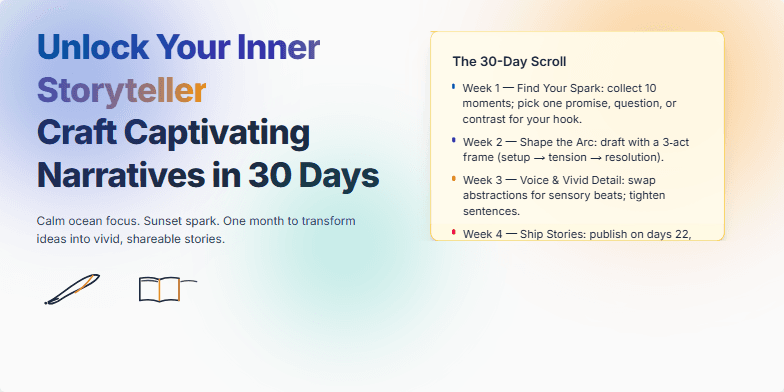
Deep ocean blues and sunset oranges blend seamlessly in this presentation, creating a calming yet inspiring backdrop. Hand-drawn sketches of quill pens and open books add a touch of whimsical charm. Subtle animations, like the gentle unfurling of a scroll, reveal key takeaways. Clean typography and airy spacing provide a visually appealing experience, making the information easy to digest and remember. Imagine warm sand slipping through your fingers as you discover the secrets of compelling storytelling.
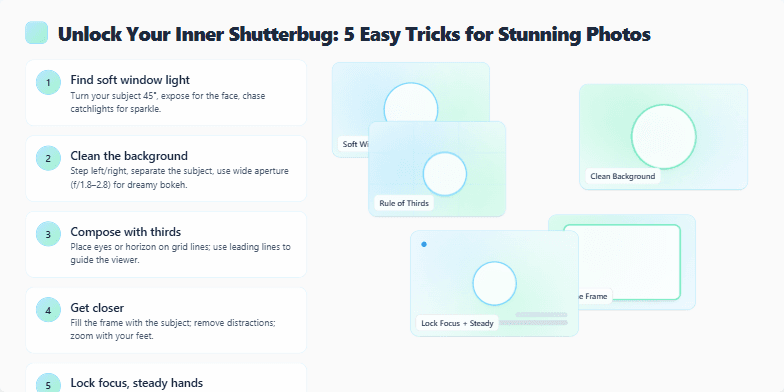
Imagine soft, dreamy bokeh backgrounds blending with crisp, vibrant subjects. This slide uses a minimalist, clean design with a calming palette of pastel blues and greens. Subtle zoom and pan animations highlight each of the 5 photography tricks, revealing stunning example photos with a gentle lightbox effect. Each trick is presented with a clean, modern sans-serif font, adding a touch of contemporary elegance.
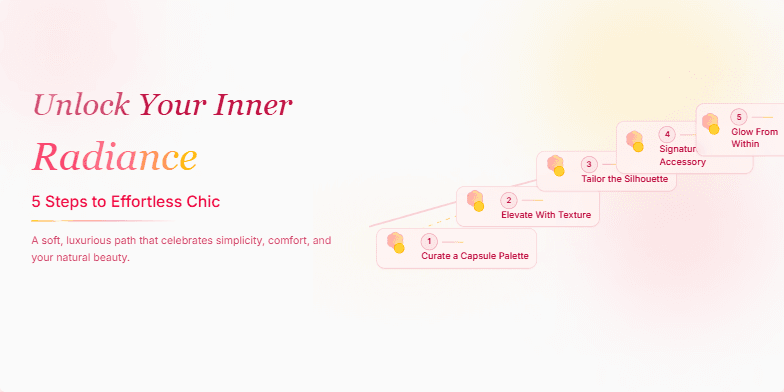
This slide uses a soft, rose-gold color palette with elegant script fonts. A subtle shimmer animation highlights the 5 steps, each represented by a stylized blooming flower icon. The overall feel is luxurious and inspiring, encouraging viewers to embrace their natural beauty.
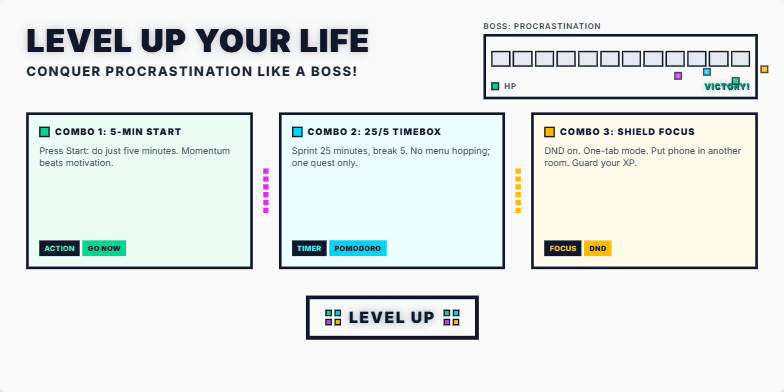
Imagine vibrant, energetic visuals with a retro-gaming aesthetic. 8-bit pixel art transitions explode across the screen as you advance through the slides. Think neon colors, dynamic typography, and a soundtrack that evokes the thrill of victory. Motivational quotes appear with a satisfying 'ding' sound effect, encouraging the audience to embrace the challenge. The final slide reveals a shimmering 'Level Up' badge, a symbol of newfound productivity.
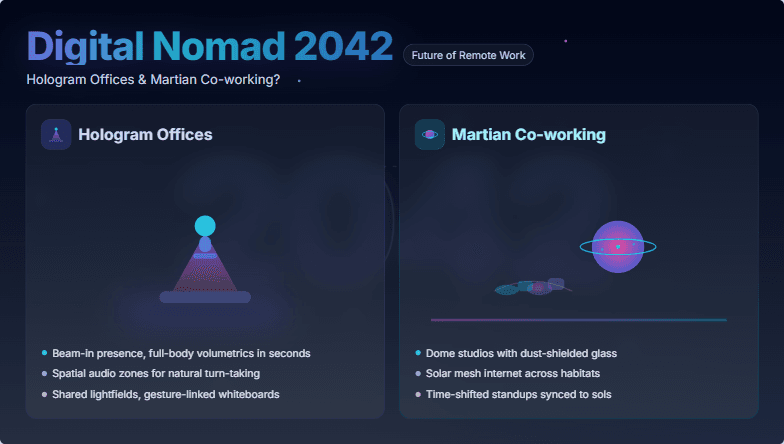
Imagine a slide bathed in cool blues and purples, hinting at the vastness of space. A sleek, futuristic font displays the title, subtly animated with a shimmering holographic effect. Icons of holographic projections and a stylized Martian landscape add intrigue. The overall mood is exciting and aspirational, sparking curiosity about the future of remote work.
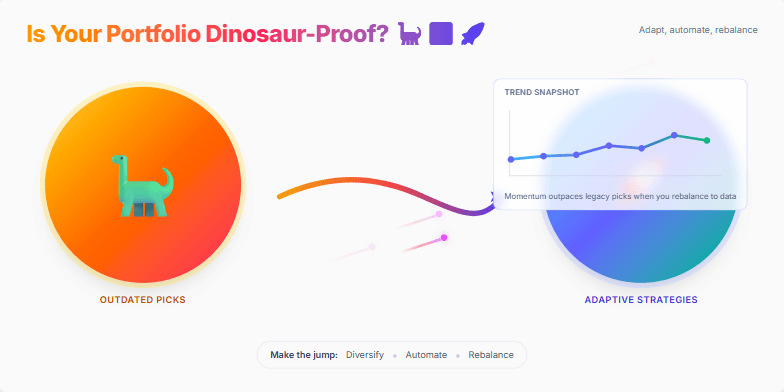
This slide explodes with vibrant, prehistoric-themed graphics transitioning into sleek, futuristic visuals. A playful T-Rex morphs into a rocket, symbolizing the shift from outdated investments to modern strategies. Bold, contrasting colors grab attention, while smooth animations keep the audience engaged. Imagine a dynamic meteor shower of data points illustrating market trends, leaving a lasting impression of the importance of adapting your investments.
Want to generate your own slides with AI?
Start creating high-tech, AI-powered presentations with Slidebook.