Dive into a visually rich exploration of lighting techniques, bathed in warm, inviting hues. Smooth transitions and subtle light flares mimic the magic of perfect lighting, while elegant typography adds a touch of sophistication. Discover the secrets to capturing breathtaking images with just a few clicks – it's like having a professional photographer whisper in your ear.
Categories
Generated Notes
Introduce the theme: we’re chasing warm, flattering light with three simple hacks. Set the vibe—this is about quick wins that feel pro.
Hack one: 45° window light. Point out the diagram—subject near a window, angled about 45 degrees. Explain using a white wall or notebook as a bounce to lift shadows. Emphasize how fast and consistent this is.
Hack two: backlight plus reflector. Show the sun behind the subject for a glow, then the reflector filling the face. Mention cheap options: white sheet, poster board. Note the rim light separates the subject from the background.
Hack three: diffuse and feather. Demonstrate placing a diffuser between light and subject, then angling the light slightly past the face for a gentle falloff. This prevents hotspots and gives a silky look.
Wrap: With these three, you can handle most scenarios—window portraits, backlit scenes, and harsh light. Invite the audience to try one today and notice the instant upgrade.
Behind the Scenes
How AI generated this slide
Analyzing the title and context to identify the core theme: lighting hacks for photography.
Selecting a warm, inviting color palette (amber, orange, rose) to evoke the feeling of good lighting.
Creating blurred, rounded shapes to simulate light flares and bokeh, enhancing the visual richness.
Choosing an elegant, slightly condensed typeface for a sophisticated look.
Structuring the content into three distinct sections, each highlighting a specific lighting hack.
Adding simple, illustrative diagrams for each hack, making the concepts easy to grasp.
Incorporating subtle animations (using Framer Motion) for a smooth, engaging presentation flow.
Why this slide works
This slide effectively combines visual appeal with practical information. The warm color scheme, subtle light flares, and elegant typography create an inviting and professional aesthetic. The use of animations adds a touch of dynamism, while the clear structure and simple diagrams make the content easily digestible. The slide successfully conveys the promise of achieving professional-looking photos with simple techniques, appealing to both aspiring and experienced photographers. The keywords used throughout (photography, lighting, hacks, warm light, professional) enhance its searchability and relevance.
Slide Code
You need to be logged in to view the slide code.
Questions
Frequently asked
What are the three lighting hacks presented in the slide?+
The slide presents three lighting hacks for photography: 1. 45° Window Light: Positioning the subject near a window at a 45-degree angle and using a reflector to fill in shadows. 2. Backlight + Reflector: Placing the light source behind the subject and using a reflector to illuminate the face. 3. Diffuse & Feather: Softening harsh light with a diffuser and angling the light past the subject for a smooth falloff.
What is the purpose of using warm colors in the slide design?+
The warm color palette (amber, orange, rose) is used to create a visually inviting and aesthetically pleasing experience. It also connects to the topic of warm, flattering light in photography, reinforcing the theme and creating a sense of harmony between the content and design.
How do the animations enhance the slide presentation?+
The subtle animations, powered by Framer Motion, contribute to a smoother and more engaging viewing experience. They guide the viewer's attention, introduce elements gradually, and add a touch of dynamism to the otherwise static content, making the presentation feel more polished and professional.
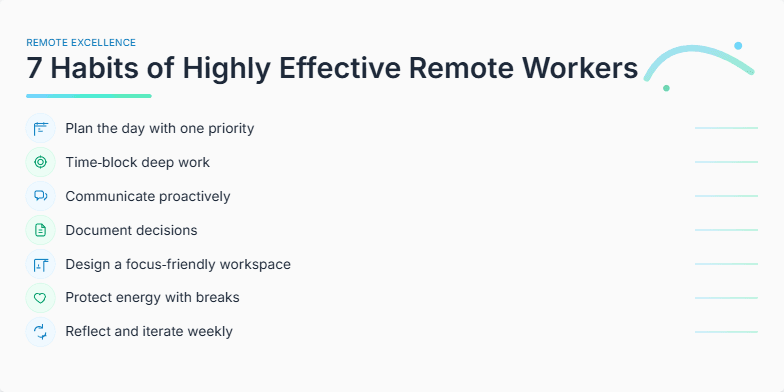
Clean, minimalist design with a calming palette of blues and greens. Each habit is revealed through a subtle, elegant animation, accompanied by a delicate sound effect. Icons representing focus, communication, and self-discipline add visual interest without clutter. The overall feel is inspiring and aspirational.
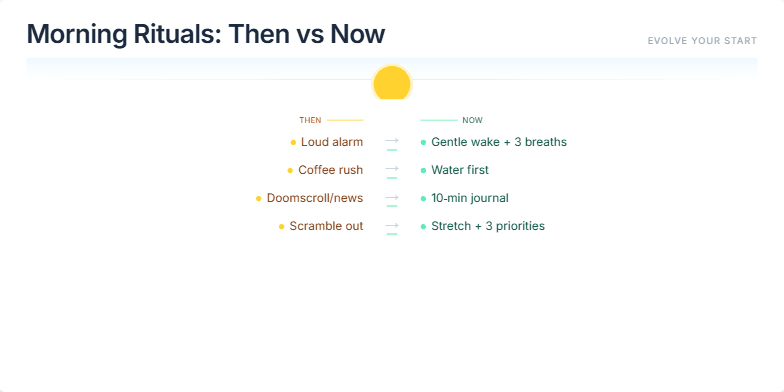
A sleek, minimalist design contrasts sepia-toned 'then' photos with vibrant, modern 'now' imagery. Subtle animations reveal the evolution of morning routines, highlighting the shift towards mindfulness and productivity. Calming pastel colors create a sense of peace and inspiration, encouraging viewers to embrace positive change. A gentle sunrise animation adds a touch of warmth and hope.
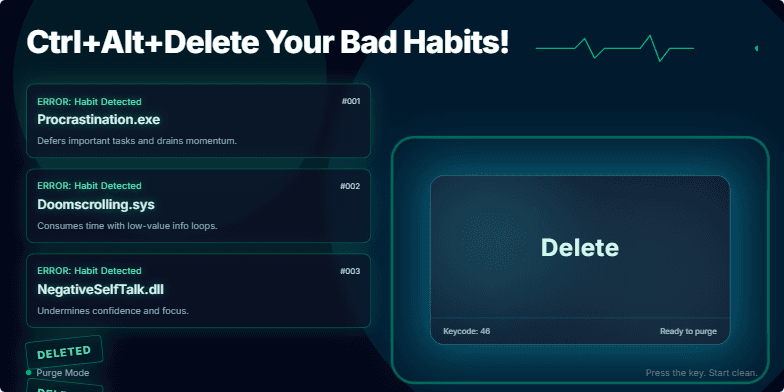
Imagine a sleek, dark-themed slide with neon green accents pulsating like a heartbeat. Each bad habit appears as a glitching error message, then dramatically vanishes with a satisfying 'deleted' animation. The dominant image: a giant 'delete' key bathed in cool blue light, promising a fresh start. Clean typography and minimal design create a powerful, focused message.
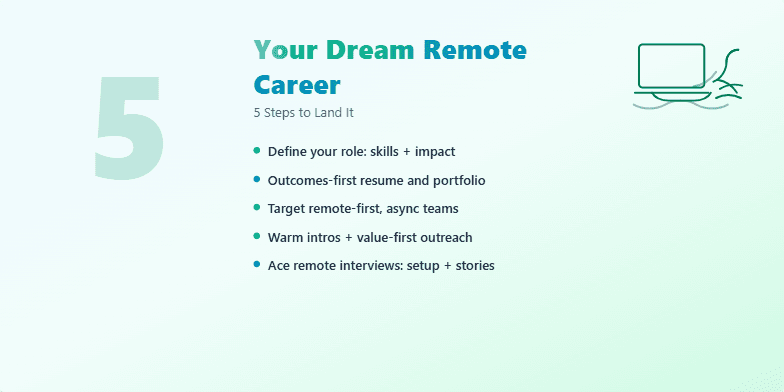
This slide uses a calming gradient of blues and greens, evoking a sense of tranquility and possibility. A stylized, minimalist icon of a laptop on a beach subtly reinforces the remote work theme. The number '5' is large and bold, drawing the eye and promising actionable advice. A subtle shimmer animation on the title adds a touch of magic and aspiration. Short, punchy bullet points appear with a smooth fade-in animation for each step, keeping the audience engaged.
Dark, moody color palette with neon accents highlighting key takeaways. Energetic glitch animations punctuate the 'SEO sins,' each visualized as a ghostly chain dragging down a website icon. Clean, minimalist typography ensures readability. A subtle, pulsing heartbeat sound effect adds tension.
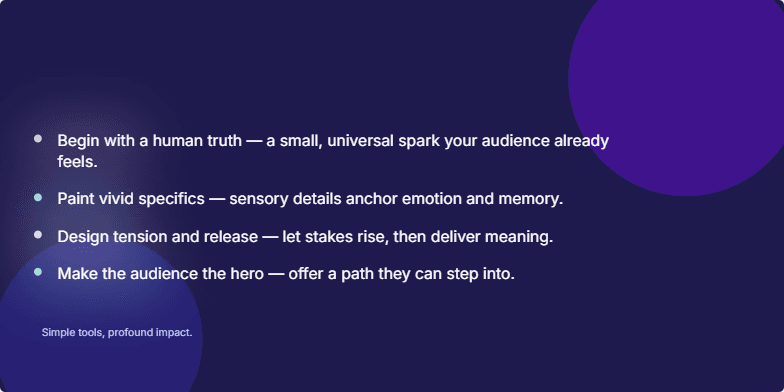
Deep indigo background evokes a sense of mystery and creativity. Title appears in elegant, handwritten script, fading in gently. Each key point of the presentation is introduced with a delicate watercolor animation, like ink blooming in water. Soft, ambient music underscores the quiet power of storytelling. Minimalist design with ample whitespace emphasizes the beauty and clarity of each message. Close-ups on evocative photographs further enhance the emotional impact.
Want to generate your own slides with AI?
Start creating high-tech, AI-powered presentations with Slidebook.