Imagine a calming gradient of blues and greens washing over the slide as the title appears in elegant, handwritten script. A subtle animation of a tiny, flickering flame grows stronger beside the title, symbolizing growing confidence. Each key point is highlighted with a soft glow effect, drawing the audience's eye. Minimalist design, maximum impact.
Categories
Generated Notes
Start by inviting the room to take one slow breath together. Point to the small flame and describe it as the spark of confidence we all carry.
As the glow strengthens, explain that confidence grows when we feed it simple, repeatable habits.
* First, name the inner critic. When we label it, we separate it from our identity and reduce its volume.
* Second, breathe and pause. A longer exhale signals safety to your nervous system and steadies your first words.
* Third, reframe. Shift from catastrophic “what if” to resilient “even if,” which keeps you resourceful under pressure.
* Finally, aim for one person. Connect with a single friendly face to anchor your delivery, then expand to the room.
Close by reminding them that confidence is a practice—like tending a flame, small consistent actions make it brighter.
Behind the Scenes
How AI generated this slide
Analyze the prompt: identify the core theme (Taming Inner Critic/Speaking Confidence), visual style (calming gradient, handwritten font, flame animation, minimalist design), and key points.
Select appropriate libraries: Utilize Framer Motion for animation and Slidebook for slide structure.
Design layout: Create a two-column layout with the title and animation on the left and bullet points on the right.
Implement animations: Animate the flame to flicker and grow, the title to fade in, and bullet points to slide up.
Style elements: Apply gradient backgrounds, rounded corners, shadows, and handwritten fonts to match the prompt's aesthetic.
Optimize for accessibility: Ensure sufficient color contrast and semantic HTML structure.
Generate code: Produce clean, well-commented React code incorporating JSX for styling.
Why this slide works
This generated slide effectively combines visual appeal with clear communication. The calming gradient background and handwritten font create a soothing atmosphere, while the flame animation symbolizes growing confidence. The minimalist design ensures focus on the key takeaways presented as concise bullet points with a soft glow, enhancing readability. The use of Framer Motion provides smooth, engaging animations. The code is well-structured and leverages React's component-based architecture for maintainability. The slide's design aligns perfectly with presentation best practices by using visuals to reinforce the message and minimizing distractions, thus maximizing impact for a presentation on communication and public speaking or self-improvement.
Slide Code
You need to be logged in to view the slide code.
Questions
Frequently asked
How does the flame animation enhance the slide?+
The flame animation serves as a visual metaphor for growing confidence. It starts small and flickers, symbolizing initial hesitation, but gradually grows stronger, representing the development of confidence throughout the presentation. This visual cue reinforces the message and adds an engaging element to the slide's design.
Why is a minimalist design approach effective for this topic?+
A minimalist design avoids clutter and distractions, directing the audience's attention to the core message of taming the inner critic and speaking with confidence. By using a clean layout, calming colors, and concise bullet points, the slide ensures the key takeaways are easily understood and remembered. This approach aligns with effective presentation design principles, maximizing impact and improving communication.
What is the purpose of the soft glow effect on the bullet points?+
The soft glow effect serves to subtly highlight the key points, drawing the viewer's eye and enhancing readability. It adds a touch of visual interest without overwhelming the minimalist aesthetic. This gentle emphasis reinforces the importance of each point and contributes to a polished, professional look for the presentation slides.
How does the code utilize Framer Motion?+
Framer Motion is used to create the smooth, engaging animations within the slide. It powers the flickering flame animation, the fade-in effect of the title, and the slide-up motion of the bullet points. These animations enhance the visual appeal and create a more dynamic presentation experience. The 'motion' component allows for detailed control over animation parameters, contributing to a polished and professional feel.
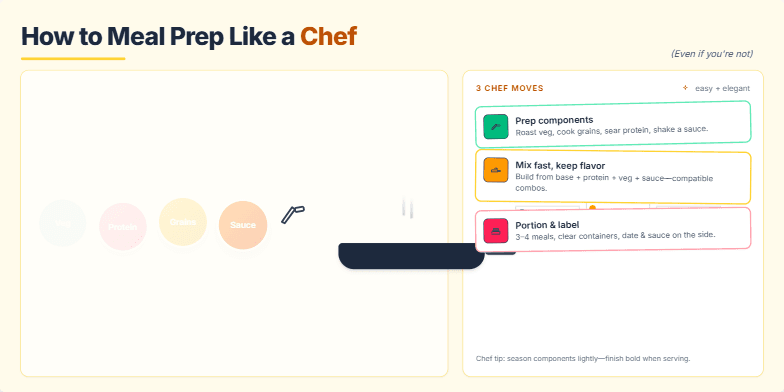
Imagine vibrant close-ups of fresh ingredients, transforming with smooth transitions into perfectly portioned meals. Warm, inviting color palettes with a touch of rustic charm. Hand-drawn icons and subtle animations of chopping, sizzling, and arranging food add a playful touch. This slide emphasizes the ease and elegance of meal prepping, making it feel achievable and aspirational.
Imagine a neon-drenched cityscape reflecting in the sleek glass surfaces of your virtual storefront. This slide uses vibrant cyberpunk aesthetics, with holographic product displays shimmering against a dark, futuristic backdrop. Smooth, dynamic transitions and subtle parallax scrolling create an immersive experience, highlighting key features of metaverse integration for your e-commerce business. A pulsating synthwave soundtrack adds to the electric atmosphere.
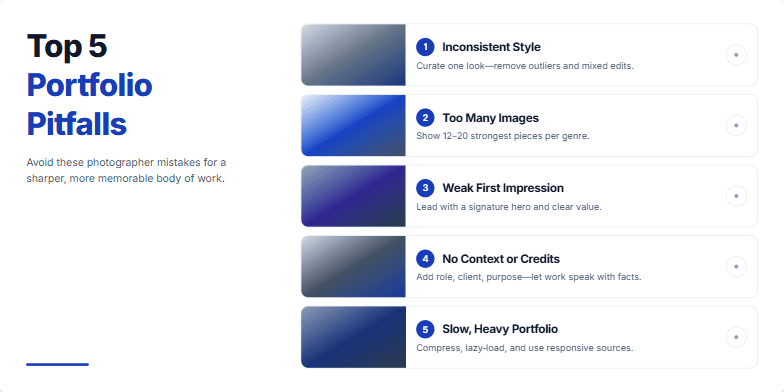
Clean, minimalist design with bold typography. Each pitfall is visualized with a striking, slightly desaturated image showcasing the mistake. Smooth transitions between slides create a sophisticated, gallery-like feel. Subtle zoom effect on each image draws attention to the detail. Deep blues and muted greys create a professional and timeless mood.
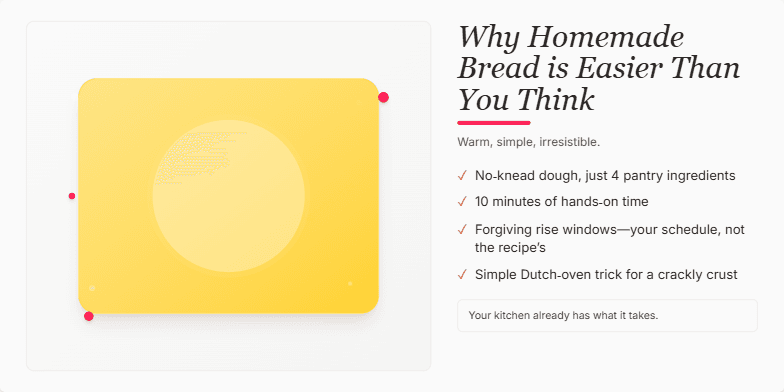
Warm, inviting visuals of golden-brown loaves and flour-dusted hands. A rustic, handwritten font evokes a sense of comforting simplicity. Subtle animation of rising dough adds a touch of magic. Color palette focuses on earthy browns, creamy whites, and pops of vibrant red from cherries or tomatoes. Design is clean and minimalist, emphasizing the beauty of the ingredients.
This slide explodes with vibrant neon colors and dynamic, futuristic animations showcasing the potential of metaverse investments. A sleek, dark background contrasts with glowing charts and graphs, creating a high-tech, exciting mood. Intriguing micro-interactions reveal hidden data points upon hover, adding a touch of playful discovery.
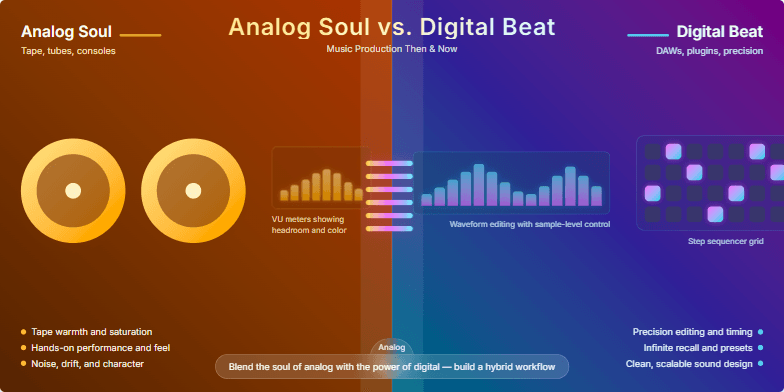
A visually stunning exploration of music production across eras. Warm, vintage sepia tones for the 'analog soul' half, contrasted by vibrant neon hues in the 'digital beat' section. Dynamic transitions morph old-school recording equipment into modern digital interfaces, showcasing the evolution. Subtle vinyl crackle sound effects layered with crisp digital synth beats create an immersive auditory experience.
Want to generate your own slides with AI?
Start creating high-tech, AI-powered presentations with Slidebook.