7 Ways to Craft a Killer Freelance Portfolio (That Gets You Hired)
Description provided by the user:
Clean, minimalist design with soft grey background and crisp white typography. Each of the 7 ways is highlighted with a subtle animation, revealing a striking portfolio example in a vibrant color palette. Smooth transitions create a dynamic yet professional feel, leaving a lasting impression of polished expertise.
Categories
Generated Notes
Open with the promise: this is about a portfolio that gets you hired, not just a gallery. Emphasize the clean, minimalist approach and that each point reveals a vivid example.
Point 1: Lead with outcomes. Call out the example chip showing a measurable win. Explain that metrics are the headline.
Point 2: Niche. Show how specificity makes you memorable. Reference the “B2B Fintech dashboards” chip.
Point 3: Case studies. Outline problem, process, impact. Highlight the dispatch app example and the operational improvement.
Point 4: Before/After visuals. Stress visual contrast and clarity. Mention the conversion lift on the chip.
Point 5: Social proof. Use concise quotes or recognizable logos. Read the churn reduction quote.
Point 6: Role and tools. Hiring managers want to know exactly what you did and how. Point to the role and stack chip.
Point 7: Clear CTA and availability. End with a direct next step; show the booking chip. Wrap by reminding that minimal structure plus outcomes and proof equals trust.
Behind the Scenes
How AI generated this slide
Analyze the title and identify the target audience: freelance professionals seeking to improve their portfolios.
Structure the slide content around 7 key takeaways, providing concise and actionable advice.
Select relevant keywords for freelance portfolios, such as 'case studies,' 'social proof,' 'testimonials,' 'outcomes,' and 'niche.'
Design a clean, minimalist layout with a soft grey background and crisp white typography to enhance readability.
Incorporate subtle animations and smooth transitions for a dynamic and professional feel.
Use vibrant color palettes for portfolio examples to create visual interest and a lasting impression.
Generate code using Framer Motion for animations and a component-based structure for maintainability.
Craft detailed speaker notes to guide the presentation and provide context for each point.
Optimize the design and content for accessibility, ensuring clear contrast and appropriate font sizes.
Why this slide works
This slide effectively communicates 7 key strategies for crafting a compelling freelance portfolio. The clean design, subtle animations, and vibrant examples create a visually engaging experience. The use of specific keywords, such as 'case studies,' 'social proof,' and 'outcomes,' enhances SEO and relevance for the target audience. The detailed speaker notes provide valuable context and guidance for delivering a impactful presentation. The combination of clear, actionable advice, visually appealing design, and SEO optimization makes this slide a valuable resource for freelancers looking to improve their portfolios and attract clients. The use of Framer Motion ensures smooth and performant animations, adding to the polished professional feel. By highlighting quantifiable results and practical tips, the slide empowers freelancers to present their skills and experience effectively.
Slide Code
You need to be logged in to view the slide code.
Questions
Frequently asked
Why is having a strong freelance portfolio important?+
A strong freelance portfolio is essential for showcasing your skills, experience, and accomplishments to potential clients. It serves as visual proof of your capabilities and helps you stand out from the competition. A well-crafted portfolio can significantly increase your chances of landing high-quality freelance projects and building a successful career.
How do I choose the right projects to include in my portfolio?+
Select projects that align with your target niche and demonstrate your best work. Include a variety of projects to showcase your range of skills. Focus on projects that have clear outcomes and measurable results, as these will be most impactful for potential clients. If you're just starting out, consider including personal projects or pro bono work to demonstrate your abilities.
What is social proof and why is it important for my portfolio?+
Social proof refers to evidence of your credibility and expertise, such as testimonials from previous clients or logos of companies you've worked with. Including social proof in your portfolio builds trust and credibility with potential clients. It provides third-party validation of your skills and can significantly influence a client's decision to hire you. SEO keywords: freelance portfolio, social proof, testimonials, client logos, credibility, trust
How often should I update my freelance portfolio?+
Regularly updating your portfolio is crucial for keeping it fresh and relevant. Aim to update your portfolio with new projects and testimonials every few months. Remove any outdated projects or information that no longer reflects your current skills and experience. Consistent updates demonstrate your ongoing professional development and commitment to your craft. SEO keywords: freelance portfolio, update, fresh content, relevant skills, professional development
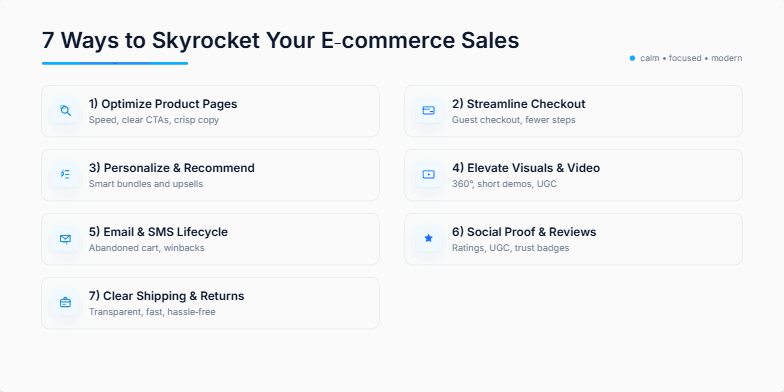
Imagine a sleek, minimalist design with cool blues and crisp whites. Each of the 7 ways is revealed with a subtle zoom animation, accompanied by a delicate chime. Icons are clean and modern, creating a sense of effortless sophistication. The overall feel is calming yet dynamic, promising valuable insights delivered with style.
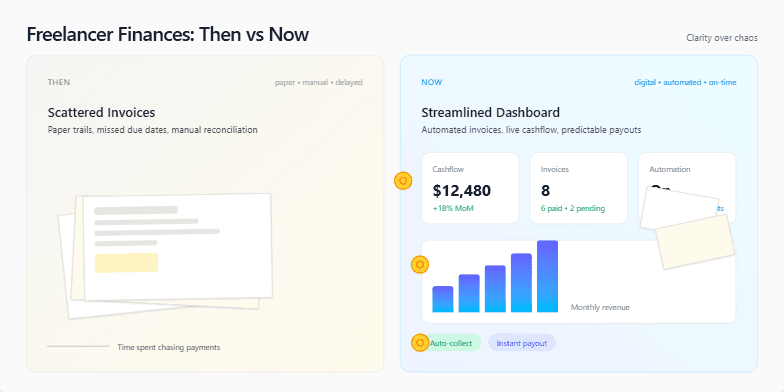
A sleek, minimalist slide with a split-screen design. One side showcases a muted, vintage color palette representing the 'Then' – chaotic paperwork, scattered invoices. The other side explodes with vibrant, modern hues for the 'Now' – streamlined digital dashboards, automated payments. Subtle animations of coins flowing and graphs rising add a touch of dynamism. Clean typography and strategic use of whitespace create a sense of clarity and control.
Deep indigo background with constellations of twinkling golden stars representing key startup milestones. Smooth, elegant transitions reveal each 'star' and its meaning. Minimalist typography in warm white emphasizes the mystical yet achievable nature of success. Inspiring ambient soundtrack complements the visual journey.
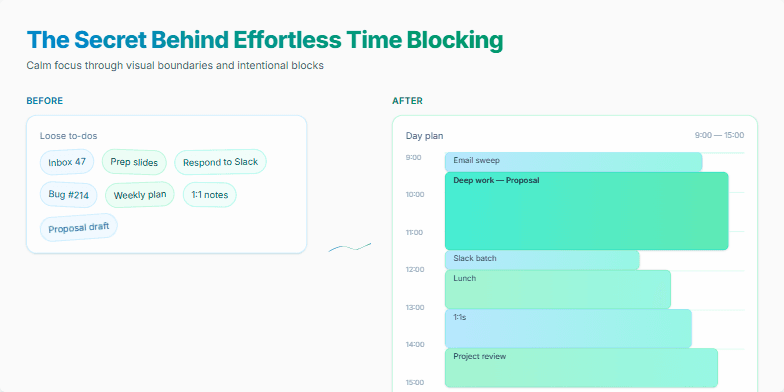
Dive into a world of calming blues and serene greens as this slide reveals the magic of time blocking. Smooth, subtle animations guide you through a visual journey, showcasing a minimalist design with elegant typography. Watch as daily tasks transform into perfectly organized blocks, creating a sense of calm and control. Experience the power of visual clarity with this beautifully designed slide that sparks joy and inspires efficient time management.
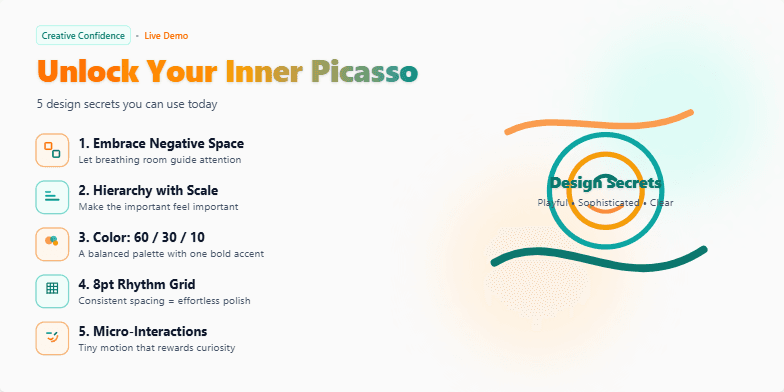
Imagine a slide bathed in warm, inviting hues of sunset orange and deep teal. Hand-drawn, whimsical icons dance alongside each of the 5 secrets, revealed one by one with a charming 'pop' animation. Typography is clean and modern, playing with subtle drop shadows for a touch of depth. The overall feel is playful yet sophisticated, sparking curiosity and a desire to unlock those hidden design gems.
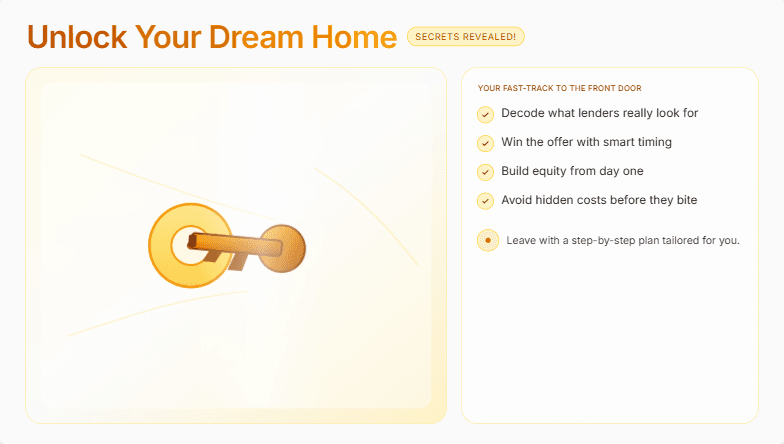
Imagine a sleek, minimalist slide with a soft, warm color palette of creams and golds. A subtle, shimmering animation of a key turning in a lock hints at the secrets to be unveiled. Clean typography and stunning high-resolution images of dream homes evoke a sense of aspirational luxury and attainable comfort. Short, punchy bullet points highlight key takeaways, each appearing with a gentle fade-in effect. The overall mood is one of sophisticated excitement and empowered possibility.
Want to generate your own slides with AI?
Start creating high-tech, AI-powered presentations with Slidebook.